Maclean'sEducationHub

A unified hub that lets prospective students browse Maclean's university and program rankings, methodology, and editorial in one cleaner system.

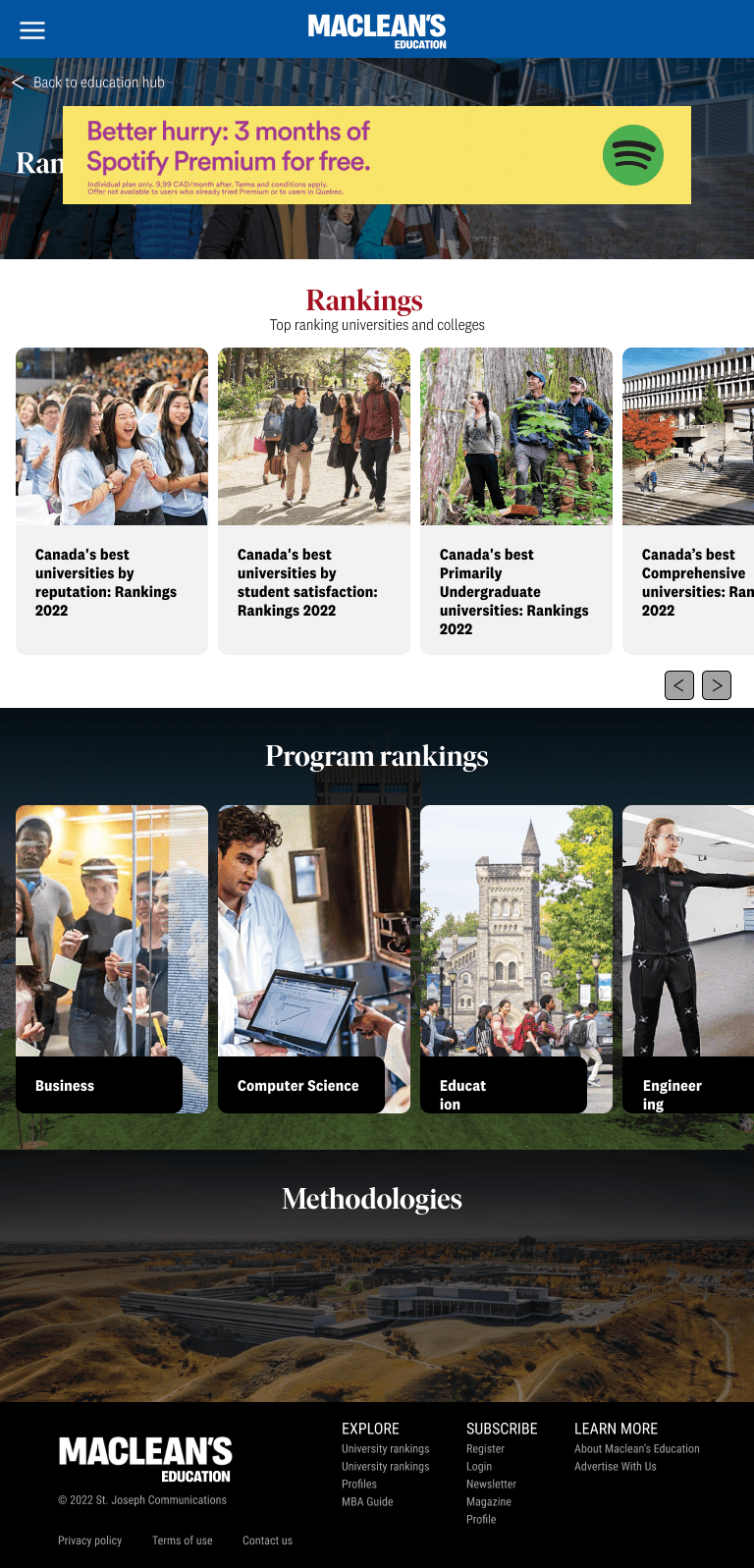
Maclean's Education Hub preview — rankings, program rankings, and methodologies sections shown on a vertical scroll capture.
Role

UX / UI Designer

Information architecture, ranking + program discovery, school profile templates, and the responsive editorial system.

Focus

Editorial product

Reshape a content-heavy education property so prospective students can compare schools, programs, and rankings without friction.

Year

2018

Built in 2018 with the Rogers / Maclean's product team.

Duration

4 months

Four months covering IA, ranking surfaces, program detail templates, and the responsive editorial system.

Project arc4 months
Mission

Help students pick a school without drowning in editorial.

Maclean's needed an Education Hub that could carry years of rankings, program guides, and editorial alongside school profiles — without forcing readers to choose between a magazine and a decision tool.

My contribution

I structured the hub around three reader intents.

The redesign separates discovery (rankings + program lists), comparison (school profiles + methodologies), and editorial (long-form journalism) so each surface earned its own pattern instead of competing in one feed.

3Ranking surfaces unified
4Program ranking categories
100+School profile templates
2018Refresh shipped

Three separate jobs the hub had to do at once.

The pre-redesign Education site mixed magazine articles, school landing pages, and ranking tables in a single content river. The refreshed hub gives discovery, comparison, and editorial three distinct shapes that share one editorial system.

01 — Discovery

Browse rankings without committing to a school yet.

The top of the hub stays scannable: the year's university and program rankings surface immediately, with light editorial captions explaining what each list is for.

02 — Comparison

Switch from rankings to a school profile without losing place.

School profile templates inherit the same header rhythm as the ranking lists, so readers can move from "top 10 reputation" to a specific university page and back without the visual context resetting.

03 — Editorial

Read long-form journalism in its own lane.

Maclean's editorial keeps the magazine's typography and column structure so the journalism still feels like Maclean's — even when the product surfaces around it lean toward decision-tool patterns.

Four principles that show up everywhere on the hub.

These are the rules the rest of the hub inherits — from the rankings homepage down to every school profile.

01

Treat rankings as the homepage of the product.

The rankings carousel sets the hub's first impression because it's the most-requested entry point for prospective students and families.

02

Make program rankings findable without leaving the page.

Program-level rankings (Business, Computer Science, Education, Engineering) sit directly under the university list so readers can pivot from school to subject without rebuilding context.

03

Show methodologies in line, not buried in a footer.

Methodology cards live on the same surface as the rankings, so the credibility of the numbers is one scroll away — not three clicks deep.

04

Let editorial breathe in its own lane.

Long-form pieces sit in their own typographic system so they feel like reading Maclean's, not a database query result.

Outcome

An Education Hub that earns its first scroll.

The redesign turned Maclean's most-trafficked education franchise into a product students can actually navigate — rankings, programs, methodologies, and journalism share one visual system without flattening into each other.